
Running a business is thrilling, but let’s face it! Keeping track of every invoice, expense, and payment can be overwhelming. That’s where accounting software comes to the rescue! The right tools don’t just store numbers; they help you track cash flow, generate smart reports, automate boring tasks, and give you a real-time view of your business’s financial health.
In this guide, we’re diving into the top accounting software features you need to work smarter, save time, and grow your business without the stress. From budgeting and forecasting to automated invoicing and inventory tracking, these features are game-changers for any business owner who wants to stay on top of their finances.
Table of Contents
1. Bank Reconciliation: Keep Your Accounts Accurate and Up-to-Date
Bank reconciliation is a powerful feature that ensures your financial records always match your bank accounts. It automatically compares your bank statements with your business records, including payments, deposits, and transfers. The software quickly highlights any differences, like missing transactions, duplicates, or errors, so you can fix them immediately.
Benefits:
- Saves time: No more manually checking every transaction.
- Reduces errors: Catch mistakes before they cause bigger problems.
- Simplifies audits: Easy-to-follow records make tax season or audits stress-free.
- Improves cash flow visibility: Always know exactly how much money is available in your accounts.
- Supports growth: Accurate accounts help you make smarter business decisions and plan for the future.
2. Automated Invoicing: Streamline Payments and Get Paid Faster
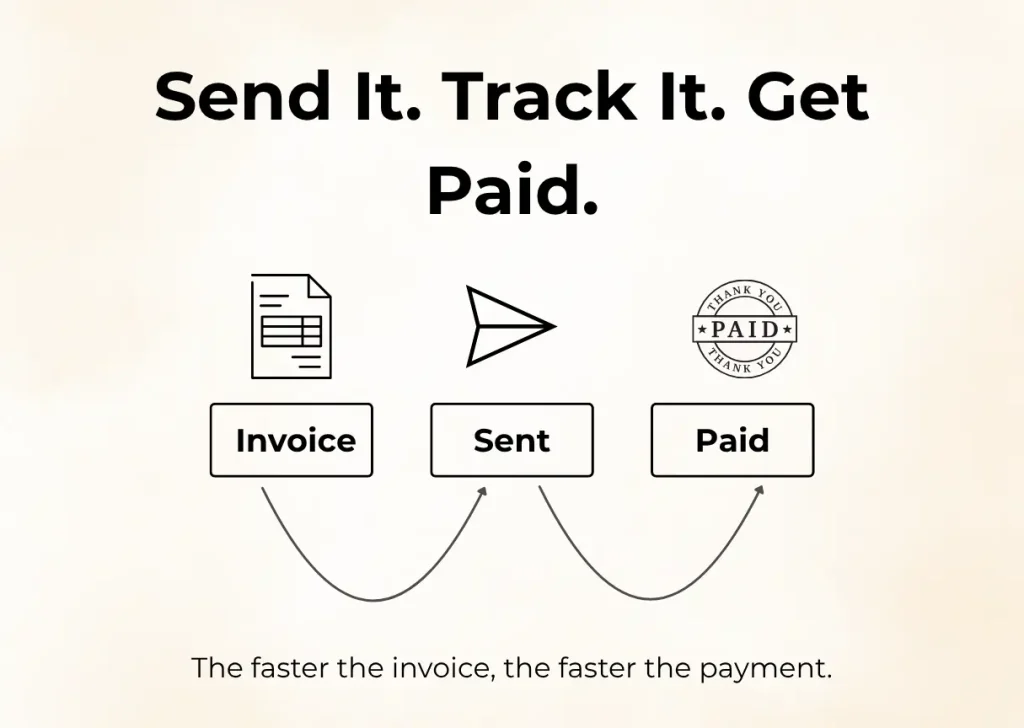
Automated invoicing is one of the financial accounting software features that makes creating and sending invoices completely effortless. The software can generate invoices automatically, send them to customers on a set schedule, include payment terms, and track which invoices have been paid or are overdue. Some advanced systems even let you customize invoices with your branding and send automatic reminders to customers who haven’t paid yet.
Benefits:
- Saves time by eliminating manual invoice creation
- Reduces late payments and improves cash flow
- Keeps your finances organized and predictable
- Helps maintain a professional image with branded, accurate invoices
3. Financial Reporting and Analytics: Know Your Business Inside Out
Financial reporting is a reliable feature that gives you a clear view of how your business is performing. Reports show where money is coming from, where it’s going, and the overall health of your business.
Good accounting software gives clear and easy-to-read reports, such as:
- Income Statements: Show how much money your business earned and spent over time.
- Balance Sheets: Show what your business owns (assets) and owes (liabilities).
- Cash Flow Reports: Show how money moves in and out of your business.
- Budget Comparisons: Show if you are spending more or less than planned.
Some advanced software also lets you create custom reports for different departments, products, or projects. For example, you can see which product makes the most profit or which team is spending the most.
These reports help you make smart decisions, plan for the future, and fix problems before they become big. They also make it easier to share financial information with managers, investors, or accountants.
4. Budgeting and Forecasting: Plan for Growth
Budgeting and forecasting is one of the financial accounting software features that helps you plan your business finances and make smarter decisions. The software lets you set financial goals, track spending, and predict future income and expenses based on past data. With AI tools like Vic.ai, Fathom, you can see where your money is going, prepare for busy or slow months, and stay on track for business growth.
Advantages:
- Avoid surprises by knowing what money is coming in and going out.
- Make smart decisions about investments, hiring, or buying equipment.
- Spot problems early, like overspending, so you can fix them quickly.
- Plan for growth by understanding future trends and financial needs.
Budgeting and forecasting are some of the most helpful accounting software features and benefits, especially for businesses that want to grow steadily
5. Tax Management: Simplify Tax Time
Tax management is a solid feature that takes the stress out of handling taxes. The software can automatically calculate taxes, generate the correct forms, and stay updated with the latest tax rules. It also tracks deductions and credits, ensuring you pay the right amount while saving time and avoiding errors.
- Automatic tax calculations: The software calculates taxes on sales and purchases, so you don’t have to do it by hand.
- Tax form generation: It can create the right tax forms for your country, ready for filing.
- Updates for tax rules: The software stays updated with new tax laws, so your calculations are always correct.
- Track deductions and credits: Helps you find ways to save money and pay less tax legally.
These tools reduce errors, save time, and help you avoid penalties. Taxes don’t have to be scary when your software does the hard work. This is one of the most valuable accounting software features and benefits, helping businesses stay compliant, reduce risks, and manage taxes with confidence.
6. Inventory Management: Track Products Easily
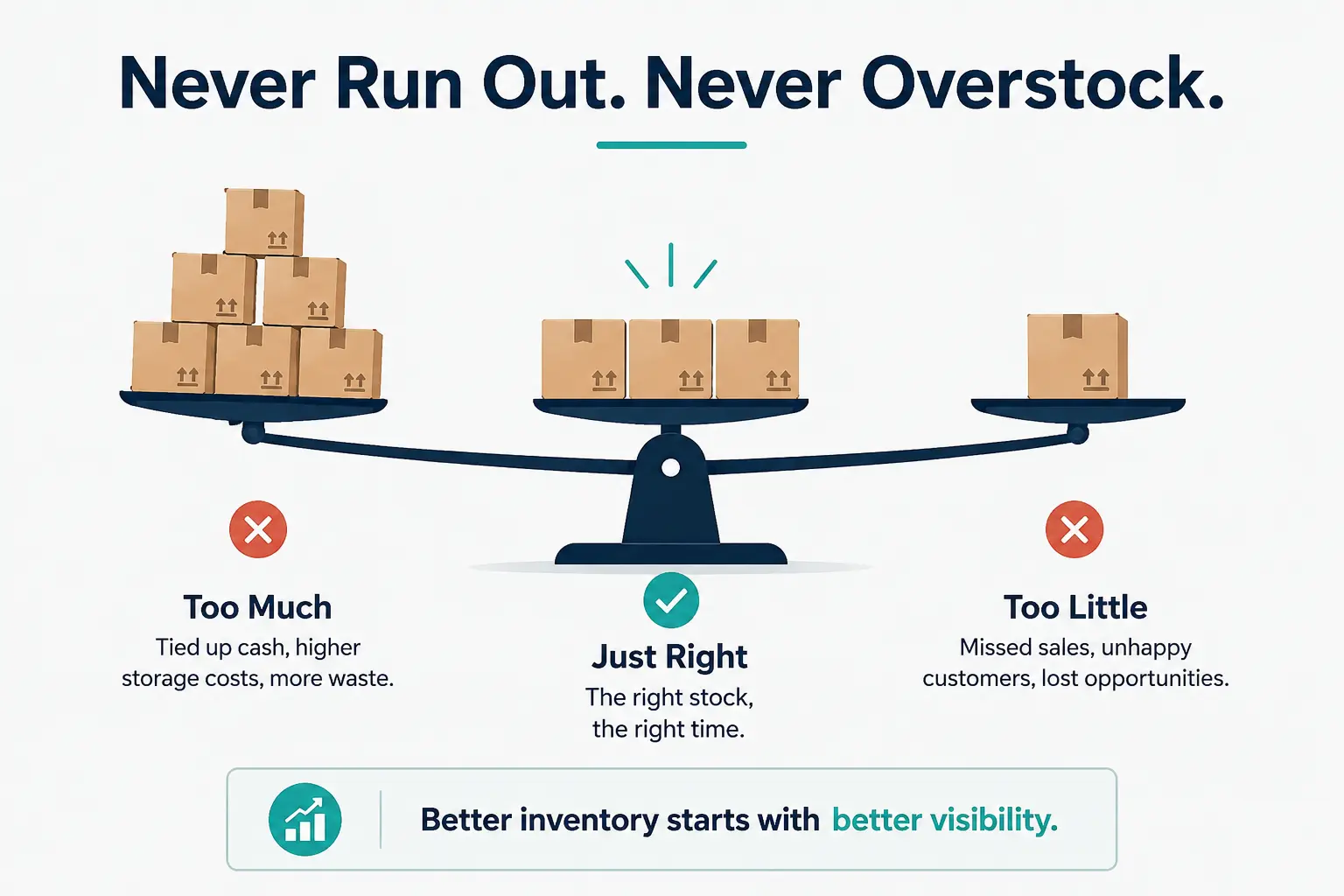
If your business sells products, keeping track of stock is very important. Inventory management features in accounting software help you know exactly what you have and avoid problems.
- The software can track:
- Stock levels: See how many items are available in real time.
- Reorder points: Get alerts when stock is low so you can order more before running out.
- Cost of Goods Sold (COGS): Know how much it costs to make or buy your products.
Benefits:
- Prevent overstocking or running out of items.
- Save money by ordering the right amount at the right time.
- Make managing your supply chain easier.
This feature is essential for businesses that sell physical products and is often part of ERP accounting software features.
7. Payroll Integration: Pay Employees Accurately
Payroll integration is an essential feature that makes paying employees simple and error-free. The software calculates wages, deductions, and taxes automatically, generates pay slips, and can even file payroll taxes on your behalf, saving time and reducing mistakes.
The software can:
- Calculate wages and deductions: Automatically figure out salaries, taxes, and benefits.
- Generate pay slips: Create detailed pay slips for each employee.
- File payroll taxes: Handle the necessary payroll tax forms automatically.
Benefits:
- Employees get paid on time and correctly.
- Reduces mistakes and saves time.
- Makes it easier to follow tax and labor laws.
With payroll integration, you can manage employee payments smoothly and focus more on growing your business.
8. Workflow Automation: Save Time and Reduce Errors
Workflow automation is a time-saving feature that handles routine operations automatically for your business. The software can take care of repetitive work like recurring invoices, data backups, and expense tracking, so your team can focus on more important tasks and reduce errors.
Accounting Automation can help with tasks like:
- Invoice management: Automatically create, send, and track invoices without doing it manually.
- Automatic transaction entry: Automatically record bank transactions or import data from other systems so you don’t have to enter it manually.
- Expense categorization: Automatically sort expenses into the right categories for easier reporting and analysis.
- Data backups: Save your financial data regularly and safely, without forgetting.
Using automation as part of accounting software features reduces mistakes, saves time, and keeps your business organized. It helps your team spend less time on repetitive work and more time on growing the business.
Choose Features That Make Your Life Easier
The right accounting software is more than a calculator; it’s a full financial partner for your business. Using the top 10 accounting software features ensures your business runs smoothly, saves time, and provides accurate, actionable insights.
From general ledger management to workflow automation, each feature plays a role in simplifying finances and boosting efficiency. The right financial accounting software features not only keep your records accurate but also deliver real accounting software features and benefits like better cash control, faster reporting, and smarter planning. By choosing software with the features that match your needs, you can reduce stress, avoid mistakes, and focus on what matters most — growing your business.
Smart accounting isn’t just about keeping records; it’s about empowering your business for success.
Frequently Ask Questions
What are the 5 basic features of accounting?
The 5 basic features of accounting are: Revenue, Expenses, Assets, Liabilities and Equity. These help record and balance all business transactions.
What are the 6 components of AIS?
The 6 components of AIS are people, procedures, data, software, IT infrastructure, and internal controls. They work together to collect, process, and manage accounting information.

0 Comments