
Modern finance teams are under constant pressure to do more in less time. Manual bookkeeping, repetitive data entry, and error prone spreadsheets slow everything down. This is where accounting automation software is changing how businesses operate.
Instead of spending hours on routine tasks, companies are now shifting toward smart systems that handle up to 80% of accounting work automatically. From invoicing to reconciliation, automation is no longer optional; it is becoming a standard for efficient financial management.
In this blog, we will explore how automation works, why it matters, and how to choose the best accounting automation software for your business in 2026 and beyond.
Table of Contents
What is Accounting Automation Software?
Accounting automation software is a digital system that reduces or removes manual effort in financial processes. It uses AI, machine learning, and rule-based workflows to manage tasks such as:
- Invoice generation
- Expense tracking
- Bank reconciliation
- Payroll processing
- Financial reporting
- Tax calculations
Instead of manually entering data, the software processes and organizes financial information automatically. This improves accuracy and saves significant time for finance teams.
Why Businesses Are Moving Toward Automation
Businesses are not adopting automation just for convenience. The shift is driven by real operational needs.
1. Reduced Human Error: Manual accounting often leads to mistakes in data entry or calculations. Automation ensures consistency and accuracy across all financial records.
2. Time Efficiency: Routine tasks that take hours can be completed in minutes. This allows finance teams to focus on analysis instead of data entry.
3. Better Financial Control: With real-time dashboards, businesses can monitor cash flow, expenses, and revenue instantly.
4. Scalability: As companies grow, financial complexity increases. Automated systems scale easily without adding extra workload.
How Accounting Automation Software Works
At its core, accounting automation software follows a structured workflow:
1. Data Capture
The system collects financial data automatically from multiple sources such as invoices, emails, receipts, bank feeds, and ERP systems. Tools like OCR and AI extract key information from documents.
2. Data Validation & Extraction
The software checks the captured data for accuracy. It validates vendor details, amounts, tax information, and detects duplicates or errors before processing.
3. Data Categorization & Coding
Transactions are automatically categorized and assigned to the correct accounts (e.g., expenses, revenue, liabilities) using rules and AI models.
4. Workflow Routing & Approvals
Once processed, transactions are automatically routed to the right person or department for approval based on predefined rules (such as amount limits or vendor type).
5. Invoice Processing & Payments
Approved invoices are processed for payment. The system can schedule or execute payments automatically, including global or batch payments in some systems.
6. Reconciliation
Payments and transactions are automatically matched with bank statements and accounting records to ensure everything balances in real time.
7. Ledger Posting
Once verified, entries are automatically posted into the general ledger within the accounting or ERP system without manual entry.
8. Reporting & Analytics
The system generates real-time financial reports such as cash flow, expenses, profit & loss, and dashboards for decision-making.
9. Compliance & Audit Trail
All transactions are logged with a full audit trail, helping ensure compliance, tax accuracy, and easier auditing.
Key Features to Look For
When selecting the best accounting automation software, businesses should focus on features that support efficiency and scalability.
1. Automated Bookkeeping: The software should automatically record and categorize transactions.
2. Smart Invoicing: It should generate, send, and track invoices without manual input.
3. Bank Integration: Direct syncing with bank accounts helps in real-time reconciliation.
4. Expense Management: Automatic tracking of business expenses improves financial visibility.
5. Reporting Tools: Advanced analytics and financial dashboards help in decision-making.
6. Compliance Support: Tax rules and regulatory requirements should be handled automatically.
Revenue Accounting Automation Software: A Growing Need
One of the most important areas of automation today is revenue tracking. Revenue accounting automation software helps businesses manage income recognition accurately across multiple channels.
It ensures that revenue is:
- Recorded in real time
- Aligned with accounting standards
- Distributed correctly across billing cycles
- Consistently updated across systems
This is especially important for subscription-based businesses, SaaS companies, and enterprises with complex billing structures.
Also Read: Manual vs Automated Accounting: What’s Better in 2026?
Best Accounting Automation Software in 2026
As we move into 2026, the demand for advanced automation tools is increasing. The best accounting automation software 2026 is expected to include:
- AI-driven financial forecasting
- Real-time compliance monitoring
- Predictive cash flow analysis
- Advanced integration with business tools
- Fully automated tax filing systems
Businesses are no longer looking for basic bookkeeping tools. They want intelligent systems that actively support financial strategy.
Choosing Accounting Automation Software Providers
Selecting the right accounting automation software providers is a critical decision. Not all providers offer the same level of automation or support.
Here are key factors to consider:
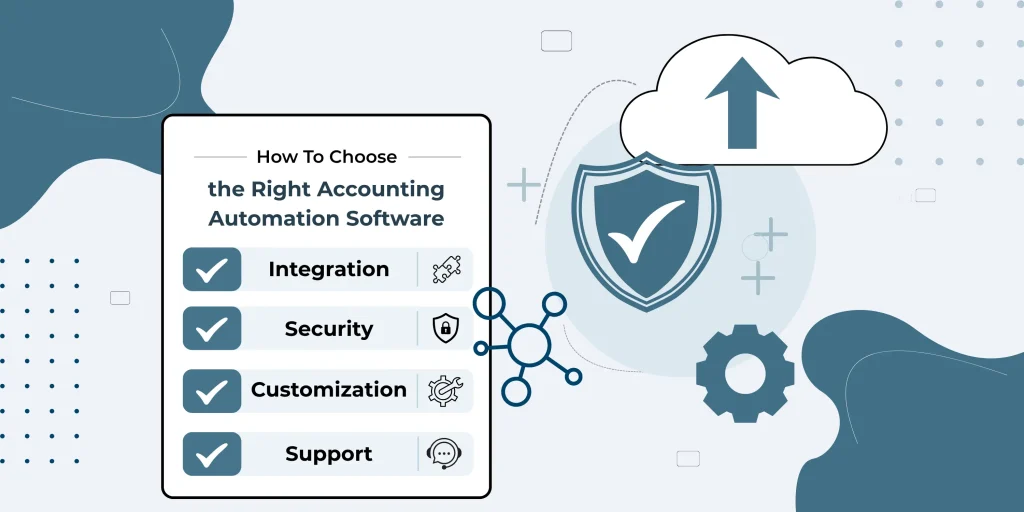
1. Industry Experience
Providers with experience in your industry understand specific financial challenges.
2. Integration Capabilities
The software should connect easily with ERP systems, CRMs, and banking platforms.
3. Security Standards
Financial data protection should be a top priority.
4. Customization Options
Every business has unique workflows. The software should adapt to them.
5. Customer Support
Reliable support ensures smooth implementation and troubleshooting.
Benefits of Using Accounting Automation Software
The advantages go beyond time-saving. Businesses experience long-term improvements such as:
- Faster financial closing cycles
- Improved decision-making with real-time data
- Reduced operational costs
- Higher accuracy in financial reporting
- Better compliance management
By automating repetitive accounting tasks, finance teams shift their focus from data handling to strategic planning.
Challenges to Consider
While automation offers many benefits, businesses should also be aware of potential challenges:
- Initial setup complexity
- Training requirements for staff
- Integration with legacy systems
- Dependency on software reliability
However, these challenges are usually short-term compared to long-term efficiency gains.
The Future of Accounting Automation
The future of accounting is clearly moving toward full automation. Artificial intelligence and machine learning will continue to improve how financial data is processed and analyzed.
Soon, accounting automation software will not only record transactions but also:
- Predict financial risks
- Suggest cost-saving strategies
- Automate compliance updates
- Provide real-time business insights
This shift will make finance teams more strategic and less operational.
Sum Up!
Accounting is no longer just about recording numbers. It is about making smarter financial decisions faster. With the rise of accounting automation software, businesses can now automate up to 80% of repetitive tasks and focus on growth-driven activities.
From invoicing to revenue tracking, automation improves accuracy, speed, and financial control. Choosing the right best accounting automation software or working with reliable accounting automation software providers can significantly transform how a business operates.
As we approach 2026, automation is not just an upgrade; it is becoming the foundation of modern financial management. Businesses that adopt it early will gain a strong competitive advantage in efficiency, accuracy, and strategic decision-making.
Frequently Ask Questions
Which accounting automation software is best?
The best accounting automation software depends on business size and needs. Popular options include tools that offer automation for invoicing, reporting, and bank reconciliation. In 2026, the best choice is the one that combines AI features, scalability, and easy integration with other systems.
What are the 5 accounting software?
Five widely used accounting software are CapiPlan, QuickBooks, Xero, Zoho Books, and FreshBooks. These tools help manage bookkeeping, invoicing, payroll, and financial reporting. Each offers automation features that reduce manual accounting work and improve efficiency.

0 Comments