
Managing business finances manually can quickly become a lot of work. From tracking expenses to creating invoices and preparing reports, there are plenty of repetitive tasks to handle.
That’s why many businesses are turning to an automated accounting system. It helps take care of routine accounting work, so businesses can spend less time on data entry and more time running the business.
Table of Contents
What Is an Automated Accounting System?
An automated accounting system is software that uses technology to perform routine accounting tasks with less manual effort. It can help businesses record transactions, manage invoices, track expenses, reconcile financial information, and generate reports.
Instead of entering and checking every piece of financial data manually, businesses can automate many of these processes. This allows business owners and finance teams to spend less time on repetitive work and more time focusing on important financial decisions.
For example, when a payment or sale is recorded, an accounting system can automatically update the relevant financial records. This keeps information organized and reduces the need for repeated data entry.
Why Are Businesses Switching to Automated Accounting Systems?
1. To Connect Accounting With Daily Operations
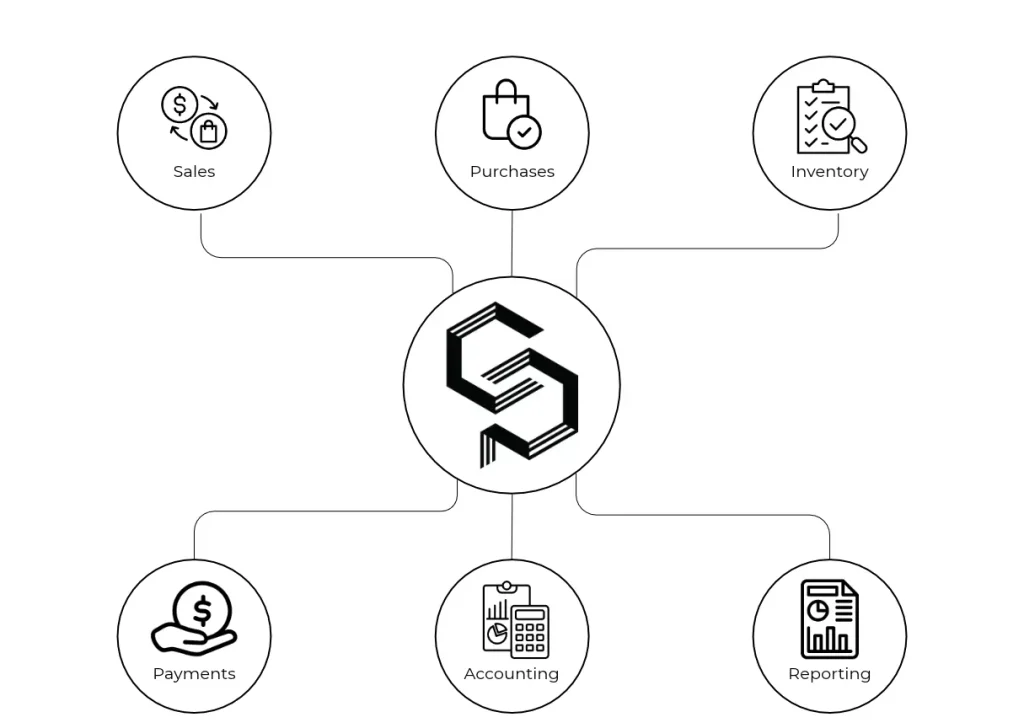
Businesses no longer want accounting to work separately from sales, purchases, inventory, and payments. An automated accounting system can connect these activities, so financial records are updated as business transactions happen.
2. To Stop Chasing Financial Data
Instead of asking different teams for sales figures, expenses, invoices, or payment updates, businesses can keep important financial information in one connected system. This makes it easier to find the information they need without going through multiple files.
3. To Get Answers Faster
Business owners often need quick answers: How much did we sell this month? Which invoices are still unpaid? What are our current expenses?
Automation can bring this information together, helping businesses get answers without manually checking several spreadsheets or reports.
4. To Reduce Spreadsheet Dependency
Spreadsheets can be useful, but managing large amounts of financial data across multiple files can become difficult. Automated accounting reduces the need to constantly update, copy, and cross-check spreadsheets.
5. To Handle More Transactions Without More Manual Work
As sales and transactions increase, accounting work increases too. Automation allows businesses to process a higher volume of financial activity without every transaction requiring the same amount of manual effort.
6. To Keep Teams on the Same Page
Finance, sales, operations, and management often need access to the same financial information. A connected accounting system can give authorized users access to relevant, up-to-date data instead of relying on information being shared manually between teams.
7. To Make Month-End Work Easier
Month-end can mean checking transactions, reviewing expenses, reconciling records, and preparing reports. Automating routine steps can reduce the amount of work left for the finance team at the end of each month.
8. To Manage Business From Anywhere
With cloud-based accounting software, business owners and finance teams can access financial information without being tied to one computer or office. This is especially useful for remote teams and businesses operating across different locations.
9. To Build a More Scalable Finance Process
A growing business needs accounting processes that can grow with it. Automation helps create a more structured financial workflow, making it easier to manage increasing transactions, customers, suppliers, and business activities without relying entirely on manual processes.
Automated Accounting System Examples
There are many ways businesses can use accounting automation in their daily operations.
Some automated accounting system examples include:
- Automatically recording sales and purchase transactions
- Creating and managing invoices
- Tracking business expenses
- Monitoring payments and receipts
- Reconciling financial transactions
- Generating profit and loss reports
- Preparing balance sheets
- Managing customer and supplier records
- Generating tax-related reports
- Tracking outstanding invoices and payments
The level of automation depends on the software and the processes a business chooses to automate.
Is a Fully Automated Accounting System Possible?
A fully automated accounting system can automate a large part of routine accounting work, but businesses still need human oversight.
Financial decisions, unusual transactions, financial reviews, and compliance responsibilities may still require input from business owners or accounting professionals.
The goal of automation is not necessarily to remove people from accounting. Instead, it is to reduce repetitive work and give finance teams better tools to manage financial information.
What Should Businesses Look for in an Automated Accounting System?
Before choosing accounting software, businesses should consider their specific needs.
Look for features such as:
- Invoicing and billing
- Expense tracking
- Bank and transaction management
- Financial reporting
- Tax reporting
- Customer and supplier management
- Multi-currency support
- Cloud access
- User permissions
- Data security
- Integration with other business tools
The right system should be easy to use and able to support the business as its financial needs grow.
Also Read: Why Financial Management Software Is the New Business Essential
Final Thoughts
Manual accounting can take up a lot of time, especially as a business grows. An automated accounting system can take care of many repetitive tasks and keep financial information organized.
With less manual work and better access to financial data, businesses can spend more time focusing on their customers, operations, and growth.

0 Comments